

Updated November 30, 2025
With Stocard’s demise, is SuperCards its natural successor? Is SuperCards a contender for being regarded as the best loyalty card wallet app among former Stocard users? For me, SuperCards has all the features appreciated in its predecessor. Here is my review.
What is a loyalty card wallet app?
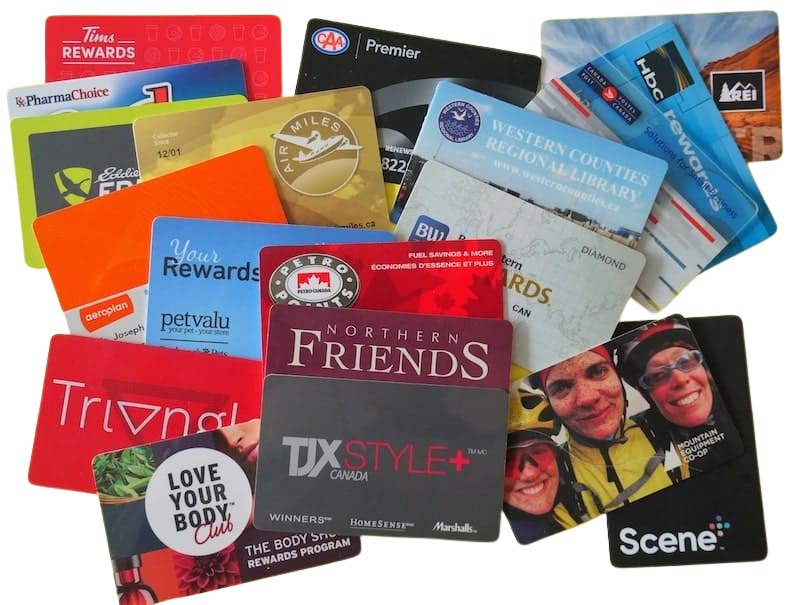
A loyalty card wallet app helps reduce card clutter. It’s a digital solution to carrying around countless loyalty and membership cards in a bulging wallet. Besides slimming down a wallet, another benefit is never missing out on earning reward points or securing a discount. Loyalty cards are just a couple of taps away.
What is the best loyalty card wallet app?
 Until Stocard was acquired by the Swedish payment giant Klarna, it consistently ranked within the top three loyalty card wallet apps, boasting over 70 million users covering 30 languages.
Stocard’s integration into Klarna’s system sparked a flurry of activity on social media groups and online forums asking which apps people were using as a replacement. So began my search for a free, simple, and reliable alternative.
I chose SuperCards.
SuperCards: A natural successor to Stocard
For migrants from Stocard, SuperCards is almost identical, so there’s no learning curve to become familiar with its features. SuperCards was developed by the same team behind Stocard and is considered its natural successor, carrying forward the clean design and core functionality users appreciated in their favourite loyalty card app.
It stores loyalty and membership cards on iOS and Android devices, enabling users to present the respective loyalty card’s barcode at the point of sale. It does no more, no less. It doesn’t try to be or do too much with unnecessary bloatware that compromises the app’s minimalist design.
What’s to like about SuperCards?
- It’s free, with no in-app purchases. There are regular updates with improvements such as custom icons, sorting options, watch access, and notes or photo attachments for each card. Unlike many other apps, these aren’t locked away behind a paywall once a person downloads the free app.
- No distracting advertisements or intrusive features clutter the screen and interfere with the user experience. There are just encrypted loyalty cards, ready to use when they’re needed.
- Unlike many competitors, there’s no registration process requiring sign-ups, logins, hidden tracking, or the collection of personal data to share with third parties. It’s ready to add the first card immediately after downloading the app.
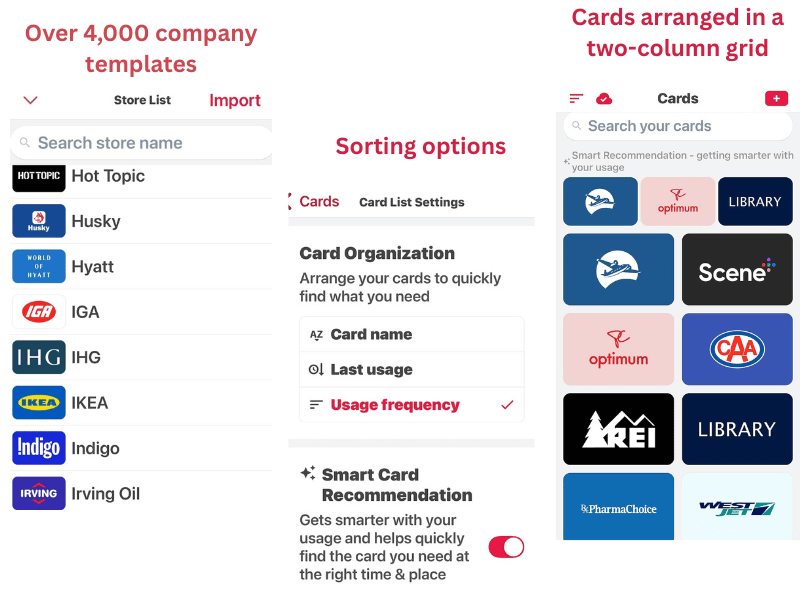
- It has over 4,000 country-specific templates, making it easy to select a logo for a loyalty card that is quickly recognisable at the point of sale. The templates are in alphabetical order with the ability for a user to search for the correct one.
- Adding a card is simple and can be accomplished within a few seconds. Click on the + sign to add a card, choose the respective template from the alphabetised list of supported organisations, and scan the barcode on your card. Or quickly import cards from other loyalty wallets, including one-click migration from Stocard and Klarna via screenshot.
- If your card doesn’t have a barcode, SuperCards will create one after manually inserting a membership number.
- The interface is simple, clean, colourful, and functional. Cards can be arranged on a two-column grid according to the sorting option chosen by the user: alphabetically, last usage, or usage frequency. Each card prominently displays its loyalty program’s logo, making it easy to quickly locate the correct card while juggling purchases at a checkout.
- At the top of the two-column grid, the three most frequently or recently used cards appear horizontally for easier access (if the ‘Smart Card Recommendation’ feature is activated).
- Tap on the card to instantly reveal the barcode and membership number. Most retailers have image-based scanners that can scan barcodes from smartphone screens in a second or two. If the business doesn’t have an image-based scanner, the cashier can manually enter the membership number.
- It works offline. In stores or transportation systems with poor or no reception, a barcode can still be accessed and presented.
Here are a few other features you might appreciate:
- Do you like to carry your cards on your wrist? If so, SuperCards supports smartwatches (both Android Wear and Apple Watch).
- Backups are simple with iCloud or QR transfers, so all your data is available when you upgrade your phone.
- There’s a “Notes” section for each card to record program-specific information, such as when points expire or the card’s expiry date. The “Card Pictures” section is for adding photos of the front and back of each card.
Conclusion
Do your wallet a favour and liberate it from all that loyalty card clutter. When the cashier asks if you have a loyalty card, you’ll never again lament that it’s at home, where it’s not earning loyalty, reward, or frequent flyer points. Whip out your phone and open SuperCards. It’s as easy as that.
Might you be interested in this related post?
If you found this article useful, please share it on your favourite social media channel by clicking on the respective button(s). In addition, it would be wonderful to have your thoughts in the comments. For example, do you have a recommendation on another loyalty card wallet app?




you can’t say that something is the best if you don’t compare it with at least 4 other product imho
why did you switch from keyring and what makes this better?
Mike, I preferred Stocard’s user interface. It was more attractive, and easier to find the right card quickly. I like the way my frequently used cards are stored at the top of the two-column grid. In addition, Stocard was less US-centric. Stocard listed more Canadian businesses than KeyRing. Also, I seem to recall that KeyRing had an annoying ad occupying valuable screen real estate. This was a few years ago, so these features might not be applicable today. Stocard satisfies my needs, so revisiting KeyRing isn’t something I need to consider.
Now that Stocard is shutting down what app do you favour? Not heard anything good about Klarna.
Hi Lew. Stocard is still working for me (and I hope it continues to do so). However, I’ve been researching alternatives and so far, SuperCards might be my choice. I’ve more reading to do. Have you found an app that works as well as Stocard?
Since they have transfer to Klarna I can’t access my card, they got nosy and want me to set up an account, complete disapointment
Stocard is no longer available. When you order stocard, you get another app, Klarna, which has become impossible to use.
I’m completely new to using Supercards but certainly get the concept. Do you keep your Visa and Mastercard in this app as well?
Hi Donna. Welcome home. You’re an inspiration. In the SuperCards app, I keep only loyalty cards (e.g., Scene+, Air Miles, Aeroplan) and membership cards (e.g., library, CAA). Credit cards I add to Apple Wallet on my iPhone where they can be used by connecting my phone to a terminal at a point of sale. Does this help?
When Stocards fizzled out, I switched over to Klarna because it prompted me to do that. The switch over was seamless, however, Klarna is a huge hassle lately. I can’t access my loyalty cards (literally just pictures of UPC codes) without connecting to the internet, and without getting a code verification sent to my cell phone and another code sent to my email… I’m pretty done with Klarna.
Does supercards require any of this nonsense to access your cards?
No, SuperCards is almost identical to Stocard. I didn’t attempt any migration, as Stocard had such down and I never signed up for Klarna. I downloaded the SuperCards app, and added each card, taking just a couple of seconds for each one. SuperCards hasn’t failed me yet at the cash register. One tap to enter, and one tap on the respective loyalty card.